The Shoot Is Half the Job
Most aerial photographers and videographers spend hours planning and executing flights, then rush through post-production. This is backwards. The footage you capture is raw material. Post-production is where that material becomes content that communicates, persuades, and performs. A mediocre flight with excellent post-production will outperform a perfect flight with lazy editing every time.
This does not mean post-production compensates for poor capture. Shooting in the right conditions, with proper exposure and composition, gives you the best raw material to work with. But the gap between professional and amateur aerial content is most visible in the edit suite, not in the air.
Colour Grading: Setting the Mood
Colour grading is the single most impactful post-production technique for aerial video. The same footage can feel warm and inviting, cold and industrial, dramatic and cinematic, or clean and corporate depending on the grade applied. Shooting in a flat colour profile (D-Log, HLG, or similar) preserves maximum latitude for grading, giving you the flexibility to push the look in any direction.
Start with correction before creativity. Balance exposure, white balance, and contrast so the image looks natural and clean. Then apply your creative grade on top. Teal and orange is the most popular cinematic look, but it is overused. Develop a signature look that aligns with your brand or your client's brand. Consistency across projects builds visual identity.
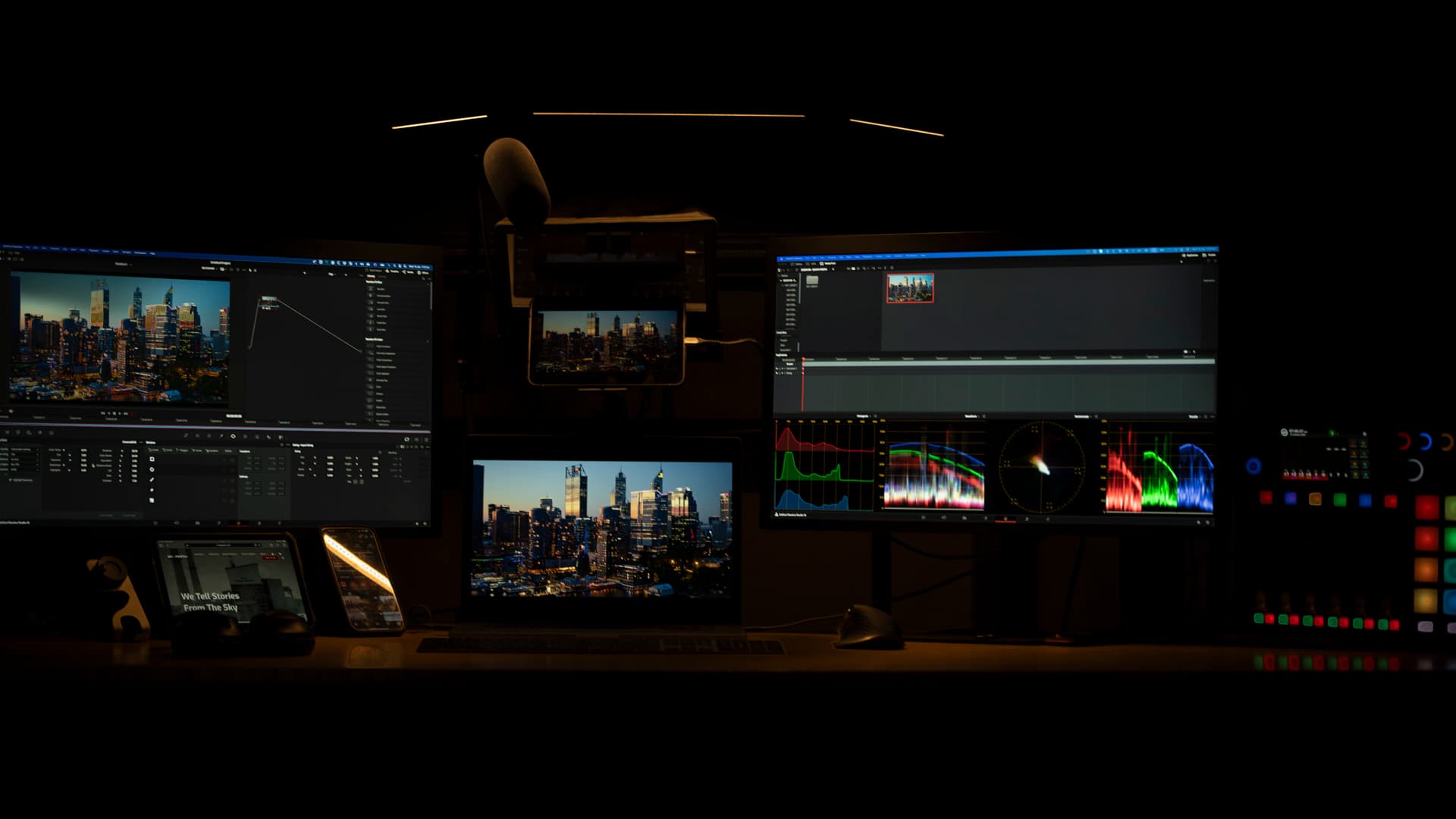
Use scopes, not just your eyes. Waveforms and vectorscopes show you objectively whether your highlights are clipping, your shadows are crushed, or your colour balance is shifted. Monitors vary in calibration. What looks perfect on your laptop might look oversaturated on a calibrated broadcast monitor. Scopes give you objective reference points that work regardless of your display hardware.
Editing Rhythm and Pacing
Aerial footage benefits from deliberate pacing. The natural movement of a drone through a landscape or around a building creates inherent momentum. Your edit should complement that momentum, not fight it. Long, uninterrupted aerial shots work well in cinematic and brand contexts where you want the viewer to absorb the environment. Faster cuts between multiple angles work for social media and event content where energy matters more than atmosphere.
Avoid the temptation to include every shot from your flight. Selectivity is the editor's most important skill. A 90-second brand video might use only the best 15 shots from a two-hour shoot. Each shot should serve a purpose: establishing location, revealing detail, creating emotion, or transitioning to the next scene. Shots that do not serve a purpose, no matter how pretty, should be cut.
Music drives pacing more than most editors realise. Select your soundtrack early in the editing process and cut to its rhythm. Transitions that land on beat changes feel intentional. Drone reveals that sync with musical builds create emotional impact. If you are editing without music first and adding it later, you are working in the wrong order.
Stabilisation and Speed Adjustment
Even with gimbal stabilisation, aerial footage can benefit from additional post-production stabilisation, particularly footage shot in windy conditions or from FPV platforms. DaVinci Resolve, Premiere Pro, and Final Cut all include stabilisation tools that smooth residual camera movement without cropping excessively.
Speed ramping, gradually adjusting playback speed within a single clip, adds cinematic quality to aerial sequences. Slowing a dramatic reveal or accelerating a long tracking shot creates visual variety and holds attention. The technique works best when it feels invisible. If the viewer notices the speed change, it is overdone.
Delivery Formats and Standards
Export settings matter. A beautifully graded video compressed with aggressive settings will look soft, blocky, and amateur on YouTube. Use the highest quality settings your delivery platform supports. H.265 at high bitrate for online delivery. ProRes or DNxHR for broadcast and client archive delivery. Specific platforms have optimal settings that maximise quality within their compression pipelines. Research these for each platform you deliver to.
Maintain a consistent delivery standard across all your work. Resolution, frame rate, colour space, and audio specifications should be documented and applied to every project. This professionalism may not be noticed by casual viewers, but clients in maritime, mining, and corporate sectors expect broadcast-standard deliverables. Meet that standard consistently, and you will never lose a client over quality. View examples of our post-production standards in our portfolio.